Employable young people or human robots?

Employable young people or human robots?
STEM skills have been a major focus in education for over a decade and more young people are taking science,…

According to the Future of Skills (Employment in 2030) by Pearson, Nesta and Oxford Martin, in 2019 71% of work was carried out by humans and 29% by machines. By 2022 this is set to change to 58% by humans and 42% by machines, ironically this means soft skills could be more crucial than the technology skills or at least as important and yet these unique human skills fight to be given the centre stage they deserve.  

Young people have so much technology in their lives and this can have a detrimental impact on their human skills. At the beginning of the year 2000 there was no:

YouTube, Vlogging, Wikipedia, WhatsApp, Snapchat, Skype, Spotify, Siri, Facebook, Twitter, Instagram, Tik-Tok etc. 

All these platforms are fantastic and magical, helping to make lives richer and definitely easier but this does mean young people are spending more time on devices and less time communicating and the trouble is that all skills, technical, practical or soft, will be affected by not using them and there is a danger of churning out human robots rather than employable young people.

If students are to be ready for work post-education, educators need to prioritise the following skills which bridge the gap between humans and artificial intelligence:

  • Engage: Your social skills and the ability to connect authentically 
  • Listen: Slowing down and asking questions from a place of curiosity
  • Empathise: A genuine desire to understand someone else’s experience
  • Collaborate: Build, manage and collaborate in the teams of the future
  • Inspire: Storytelling, influencing, persuading and articulating your ideas

Great teachers realise that students who have the best academic results are not necessarily the ones that are most prepared for life after schools and in work. They may be brilliant at maths and able to quote huge chunks from Shakespeare but in the future of work they will need to organise a team to achieve results, be able to have control over their emotional state, inspire and persuade others their ideas are worth investing in and build successful working relationships.

Schools are in a unique position to lay down the foundation stones in these skills and need to find ways to incorporate them into the curriculum. STEM skills in some ways are easier to teach and evaluate and there is often a misconception that you can only build soft skills from life experience and so they cannot be taught, but this is simply not true, and teachers can provide opportunities for soft skills development to be integrated naturally into their lessons. Below are some examples and suggestions:

  • Build a healthy growth mindset and help students overcome their fear of failure, take initiative, and keep going even when they fall. This also breeds confidence and resilience and a willingness to try new things. 
  • Get them working in groups and find opportunities for them to practice organising and leading a team or collaborating successfully with others. This gives them a chance to manage deadlines, work towards goals and communicate effectively with their teammates.
  • Create situations where they have to present their ideas and inspire others.
  • Teach the art of storytelling either by leading by example or asking them to tell their own stories to illustrate key points in a presentation.
  • Encourage reflection and self-awareness by including questions about their personal responses in normal classroom activities – questions like “How did you feel?” What would you have done differently?” “What have your learnt about yourself?” “What was your contribution?” etc 
  • Introduce simulations and role plays into the classroom to create a safe space to work on their communication skills and encourage constructive feedback which focuses on what could be improved upon in the future.

All of these ideas will really help to make students develop their human skills and stand out in a more automated workplace. Now’s the time to prepare our young people so they are in the best place to maximise on the opportunities coming, but this is not all about the future, the skills we are talking about have always been important and will make a huge difference not just in their work but also in their personal lives.

 Looking for more resources to support your teaching and learning? Check out the best education technology resources on our sister platform EdTech Impact.

http://www.innovatemyschool.com/ideas/employable-young-people-or-human-robots http://www.innovatemyschool.com/ideas/employable-young-people-or-human-robots

5 Ways to Boost Your School’s eSafety

5 Ways to Boost Your School's eSafety
e-Safety is a term that constantly comes up in school communities, and with good reason. Students across the world are…

Holy Cross College is a pre-kindergarten to Year 12 Catholic school situated in the metropolitan area of Perth, Western Australia. The College is a leader in contemporary, 21st century pedagogies that are Christ Centred and student focused. 

1. Parental engagement is vital 

We know that parents are the first and most important educators of our students. But it’s crucial to also accept that not all parents are going to be as engaged as we want when it comes to digital safety! At Holy Cross College, we ensure all families attend or access resources around digital citizenship right from their child’s enrolment at the College. These sessions are run in person, but we have also begun recording and streaming sessions online, to suite families that are unable to attend. During these education sessions we offer guidelines and suggestions for how parents might manage technology use at home. We encourage creating a home agreement. If parents can support us in this, that’s half the battle! 

2. Make the expectations around use of technology clear

We have created a digital passport for all students (that alters depending on the age of the students) that outlines the school’s expectations for using their device, and tips for what to do if they’re unsure of anything to do with technology.  All students have this stored on their devices, and classroom teachers use it as part of their beginning of the school year discussions. We update the resources in the passport annually, and this allows teachers to start the year with discussions around positive use of technology and eSafety in a way this is consistent across the College. Store it on the students’ devices, and parents can access this when they go home as well.

3. Engage a digital safety team within the school 

For eSafety to be embedded across the school, leadership support is key. We have specific teachers whose roles centre around upskilling staff and students about the importance and uses of digital technologies. These roles were created and given time and value by leadership. The team created an Information Communications Technology Agreement that every student and guardian at the College signs at the beginning of each school year agreements. These are specific to the age of the students, as a number of educational applications and digital resources have specific parental permissions for children under the age of 13. Having a team responsible for eSafety means processes can be put in place and give teachers confidence in the ways they are uploading and using their students’ data in an age appropriate and safe way. 

4. Embed eSafety discussions authentically

We have a strong culture of co teaching, where teachers work in teams or pairs with either year levels or subject areas. This helps the teachers to plan cross curricular opportunities for eSafety, always considering the developmental age of the students. Younger students are asked to consider what information is personal to them, and what they should discuss with a trusted adult. Beginning these discussions at a young age, and in a way that is developmentally appropriate, helps the students navigate technology use at school and at home. 

5. Utilise the experts around you

There are endless resources right at our fingertips, but it can be tricky to know where to start, and what’s reputable. At Holy Cross College we rely on resources that

are well referenced and supported by organisations that we trust, also considering what is local and appropriate to our students. We regularly use the following resources:

https://www.commonsensemedia.org

A website run in the US that is designed to give parents and teachers reviews on all the latest apps and digital resources. 

https://www.esafety.gov.au

The Australian Government has, through the Office of the eSafety Commissioner, curated an enormous number of resources that support safe experiences online for all age groups. 

https://search.creativecommons.org

A free search platform for teachers and students to access and use images that are legally available for reuse, with credit given. 

https://parenttv.com

A subscription service that provides access to videos for parents to allow them to tackle challenging conversations with their children, resourced by qualified psychologists. 

https://www.digitallicence.com.au

A subscription online eSafety educational program designed for students in Years 5 and 6 that provides resources for teachers and quizzes for students to progress through, working to earn their ‘digital licence’.

 Looking for more resources to support your teaching and learning? Check out the best education technology resources on our sister platform EdTech Impact.

http://www.innovatemyschool.com/ideas/5-ways-to-boost-your-school-s-esafety http://www.innovatemyschool.com/ideas/5-ways-to-boost-your-school-s-esafety

Take Your Class On A Virtual Trip To Colchester Castle!

Take Your Class On A Virtual Trip To Colchester Castle!
Colchester Castle’s new digital learning programme enables your class to take part in a trip to Colchester Castle without ever…

Colchester is synonymous with the Romans. Once the capital of Roman Britain, Colchester is often regarded as Britain’s First City and played an important part in the changing dynamics of the entire country after the Roman Invasion. Home to three Roman theatres (more than any other town in Britain) and a magnificent Roman Chariot Racing Circus. In fact, this is the only known Roman Circus in all of Roman Britain. Further evidence can be found of Roman Britain by looking at its town walls. 

Colchester’s has the earliest, longest and best-preserved Roman walls in Britain and today over two thirds of its vast defensive walls still survive. The entire wall circuit is 2,800 metres and would have once stood nearly six foot high. Dating from AD65-80 its construction started following the destruction of the town by the revolt of Queen Boudica against the Roman rule. Today, the original main entrance gateway to the town, Balkerne Gate still survives and is used daily by people walking in and out of the town centre.

It is against this backdrop that Colchester Castle stands proud today. The Castle is Europe’s largest Norman Keep, built on the foundations of the Temple of Claudius, the central focus for Boudica’s revenge on the Romans and is today packed full of magnificent treasures. 

The Museums team have devised a new distance learning programme, Castle In The Classroom to help teachers bring to life Colchester Castle’s rich history and historic past. Students can ‘step’ into the Castle through the creation of our new engaging 360-degree video tour of the Castle’s vaults. The vaults were originally the foundations of the Temple of Claudius, built almost 2,000 years ago! 

The children will follow Steve, our museum expert, who will lead them through video and static images that can be explored in 360 degrees by clicking on arrows to explore rooms and objects. Alongside the video there are a number of suggested activities for the children to take part in to make the experience fun and engaging. Throughout the video there are text panels for the children to read or alternatively they can be clicked on to hear an audio description with voice-overs by local children. 

There are two packages available to hire, one of which comes with the option of a loans box which includes real and replica artefacts for the children to handle and goody bags for the whole class.

We would invite you to get in touch with Colchester Museums to find out more. Begin exploring on our website at www.colchester.cimuseums.org.uk/castleintheclassroom, or email us on museums@colchester.gov.uk.

We look forward to working with you soon.

 Looking for more resources to support your teaching and learning? Check out the best education technology resources on our sister platform EdTech Impact.

http://www.innovatemyschool.com/ideas/take-your-class-on-a-virtual-trip-to-colchester-castle http://www.innovatemyschool.com/ideas/take-your-class-on-a-virtual-trip-to-colchester-castle

EdTech review & The Curriculum Lab

EdTech review & The Curriculum Lab
The world is catching up with a truth that we’ve championed at Learning Ladders for the last 5 years -…

Our proactive roadmap for creating a platform that combines; a customised curriculum, rich assessment data (backed up by informed and involved parents) means that Learning Ladders schools are ahead of the curve, in a prime position to deliver learning both in the classroom and online. 

And so, it couldn’t be a more fitting time to share with you Learning Ladders’ next step beyond tracking and the latest addition to our award-winning approach: The Curriculum Lab

The constant evolution of our Parent portal has enabled a reduction in workload for teachers through self marking homework and a streamlined approach to Pupil reports. The portal supports parental involvement, opening up two-way communication between parents and teachers, backed up by support articles (translatable in +100 languages). 

But we know that in Primary, sharing learning isn’t enough. 

In order to fascinate and inspire children and full support parents, a careful selection of engaging resources are needed to bring learning to life. 

A tool to give teachers back their weekends and evenings, The Curriculum Lab utilises all of the data already in Learning Ladders and uses it to map resources to the curriculum objectives and teaching plans of each school. 

  • Gap Analysis identifies gaps in learning to inform future planning- direct access from this page opens a search for resources against a particular objective. 
  • Classes & Groups allows teachers to add assessments and view the curriculum objectives for their class- direct access allows teachers to search by keyword for that subject. 
  • Homework within Ladders at Home allows teachers to include a helpful link- The Curriculum Lab provides resources to support and challenge pupils. 
  • Articles scaffold parental understanding of key concepts within Reading, Writing and Maths The Curriculum Lab surfaces resources to illustrate concepts. 
  • The Creation Zone allows schools to fully customise their own curriculums- The Curriculum Lab refines resources by keywords, enabling teachers to share a resource for each objective to bring the curriculum to life.

The quality resources surfaced by The Curriculum Lab provides a superior option to the alternative; a search through unfiltered results in an internet wide search to find the ‘right’ resource (a needle in a haystack approach), editing resources from existing schemes of work to fit, or worse- reinventing the wheel making resources from scratch. 

The Curriculum Lab short circuits that process, allowing teachers to surface the best possible resource for every child in every lesson. 

Learning Ladders triaged the best providers to offer quality resources with our launching partners, BBC and Oak Academy and indexed resources so that teachers can identify granular lessons at a specific level within the platform. 

The Curriculum Lab allows teachers to click on a resource in our search engine, viewing the resource to establish if it is the best resource for their pupils within their school, firewall and systems. 

With no need to download the content, teachers copy and paste the link; dropping it easily into the curriculum plans, sharing the link in homework or help articles and even saving the resource as a ‘favourite’ trusted resource to return to. 

Never static, The Curriculum Lab has exciting plans for expansion to include other specialist providers, taking into account feedback from our schools. Good news for teachers, good news for parents and good news for children’s outcomes. 

The Curriculum Lab is another piece of the puzzle to forming the full, holistic view of a child, beyond tracking data alone. Rich, formative assessment that informs planning alongside resources from quality partners (accessed with one click from within the platform), shared with pupils and parents both in school and remotely creates the joined up teaching tool for this disjointed time. 

Check out our EdTech Impact reviews to hear how Learning Ladders schools have benefitted from moving beyond tracking with Learning Ladders.

 Looking for more resources to support your teaching and learning? Check out the best education technology resources on our sister platform EdTech Impact.

http://www.innovatemyschool.com/ideas/edtech-review-the-curriculum-lab http://www.innovatemyschool.com/ideas/edtech-review-the-curriculum-lab

How the census can help secondary school students understand the importance of community

How the census can help secondary school students understand the importance of community
Darren Sayer, Associate Assistant Headteacher at Hanson Academy in Bradford, explains how the census offers a significant learning opportunity for…

As a school leader, I understand the importance of the census, as it affects future funding for our school and our local community. This is something my students didn’t recognise. By introducing my students to the Census Secondary School Programme, I was able to show students their connection to our community, and how they can help shape public policy by setting up their own campaigns to get their families and community involved. The free census resources and competition, from the Office for National Statistics (ONS), are linked to the PSHE, maths, geography and history curriculum, and are available through the programme website, censuseducation.org.uk. These resources are easy to use and are a great tool for teachers to engage students in real-world thinking, and to help get their voices heard as part of Census 2021.

Using data to show real-world stories

Not only is the census hugely important in deciding key community priorities, but it also shows the impact and importance of data on our lives through real-world stories. I’m always looking for fresh ways to make data and analysis interesting and using up-to-date ONS information really helps me articulate what impacts my students on an individual level. The census offers a great opportunity to bring this topical, national moment into the classroom and to make students feel a part of it by discussing what is important to them. The resources focus on big, relatable topics such as population, transport, housing as well as education. The more students can get an awareness of what the census means to them, the more they can understand how it will directly impact both their own and their community’s future.

Remote learning resources

Like many schools, we have a blended learning approach. Already I’ve seen students appreciating being back in school as it’s not just about learning for them, this is also where they can go, feel safe and get into a healthy routine. As more students return to the school, we are continuing to offer our blended learning approach with our remote learning platform. The resources offered by the Census Secondary Education Programme are a great example of what I look for to engage my students. By offering worksheets for students to do in their own time and presentations that I can deliver in class and remotely, the resources give a well-rounded approach to teaching that means I can get students in class and students at home working together virtually and making sure that everything is all joined up.

Linking to the local community

My role as a teacher in Bradford is very much linked to the local area. Bradford has a high local population and our school is the base that allows young people to feel connected to their community. It is vital that students learn about both what their community can do for them, and what they can do for it. Since the pandemic, our school has become more important than ever to our community. We’ve worked really hard to build links with vulnerable members of our community who are isolating, we even provided them with food parcels before Christmas. Our school has also received media attention for our work in developing technology resources about Personal Protective Equipment (PPE). While my students might be aware of this work and how much it has done to support them, getting them to understand the value of community support is a different story.

The It’s Our Story competition gives young people the chance to appreciate the place where they live, as they are asked to create a campaign to encourage community members to complete the census. By asking students to explore the impact of the census on their community, it allows them to focus on the positives of the big and multicultural community we have here in Bradford. As a teacher, I always try to point them towards the positive aspects of their community and recognise the importance of their school as an integral part of this community. The challenges the pandemic has brought has made students more appreciative of their local area and the facilities it offers, and Census 2021 offers a simple and important way to ensure their community gets the support it deserves.

 Looking for more resources to support your teaching and learning? Check out the best education technology resources on our sister platform EdTech Impact.

http://www.innovatemyschool.com/ideas/how-the-census-can-help-secondary-school-students-understand-the-importance-of-community http://www.innovatemyschool.com/ideas/how-the-census-can-help-secondary-school-students-understand-the-importance-of-community

Inspiration from e-sports takes online education to a new level

Inspiration from e-sports takes online education to a new level
E-sports professionals, Youtubers or physics professors? Perhaps the differences are less than you might think. That is, when it comes…

When the coronavirus pandemic forced a rapid transition to remote education last spring, teachers and lecturers were faced with great challenges, but also with new opportunities.

At Chalmers University of Technology, Sweden, two physics professors took inspiration and technical know-how from the world of e-sports to make their online teaching as effective as possible for the students. Professional e-sports players who stream their gaming sessions live are well practised in making sure their viewers can follow along with the action, discerning all the subtle details of the game and being able to interact with the streamer.

“We realised pretty quickly that we could learn and benefit from the expertise and technical solutions that have been developed over a long period of time by professional e-sports streamers, and apply them in an education environment, to create a distance learning studio,” says Andreas Isacsson, Professor at the Department of Physics at Chalmers.

To understand the concept, the professors studied in detail the technical setups of several experienced e-sports professionals and successful Youtubers for live streaming and interaction with their co-players and followers. 

Now, Andreas Isacsson and his colleague Philippe Tassin have built two teaching studios with several webcams, a high-quality video camera, a specially optimised computer, wireless microphones and more. The cameras allow the students to view, for example, detailed calculations written on a blackboard, much like in a traditional lecture. The studios are in high demand for teaching physics students at Chalmers.

According to the five course evaluations carried out so far, the concept has been enthusiastically received by the students.

“The professors have really handled it well based on the circumstances. They are really trying to do everything they can to make the teaching as successful as possible for us,” says Rebecka Mårtensson, a first-year student at Chalmers.

The success of the studios has recently been evidenced by the fact the professors were awarded the educational prize “Guldkritan” (The Golden Chalk) from the physics students, for their remote education efforts.

The distance learning studios have also received a lot of attention from teaching colleagues at Chalmers since the start of the semester last autumn. More and more students have had their lectures broadcast from there as the academic year has progressed.

The new concept makes it easier for lecturers too, whose workloads have increased greatly due to the pandemic.

“By being able to give the lectures in a more usual environment, the transition to distance education is much less labour-intensive. And since the students appreciate this form of teaching, it is a clear win-win situation,” says Professor Ulf Gran, Vice Head of the Department of Physics, pictured above.

 Looking for more resources to support your teaching and learning? Check out the best education technology resources on our sister platform EdTech Impact.

http://www.innovatemyschool.com/ideas/inspiration-from-e-sports-takes-online-education-to-a-new-level http://www.innovatemyschool.com/ideas/inspiration-from-e-sports-takes-online-education-to-a-new-level

Boost Students’ Practical Employability Skills with Resources from the British Army

Boost Students’ Practical Employability Skills with Resources from the British Army
Employability is set to be one of the biggest concerns for young people this year as the job opportunities become…

The British Army Employability resources give students the support they need in 2021 as they face new obstacles including remote interviews and increasingly competitive positions.

Available for Careers Week 2021, the Employability digital resources for key stage 4 capture everything students should watch out for, from body language to your final statement, as well as highlighting the importance of essential skills they need for the job market, including writing applications and developing interview strategy. 

The resources showcase a range of careers across STEM, Arts and Humanities, from Army Comms Engineer to English Language Teacher, which gives students an idea of the requirements in their chosen profession. The British Army is one of the biggest employers in the UK and looks at every candidate with a great level of detail and so following their instruction ensures any young person can be fully prepared for a future application.

The Resources

The British Army Employability resources follow three example students as they transition from school to work, and shows how each of their unique skills and passions can be applied to a job position. The resources offer simple methods for best representing yourself in a positive light and offer interactive sections, including sample interview questions and mini scenario briefings, that can be used by students at home or as slides in a remote learning lesson.

The resources also offer specific sections on budgeting and how students can prepare to best manage their finances once they start earning a salary from their chosen career path, whether that be in the British Army or beyond.

Where can I find the resources?

To learn more about employability, check out the free downloadable resources at: https://apply.army.mod.uk/base/lessons/employability-skills

 Looking for more resources to support your teaching and learning? Check out the best education technology resources on our sister platform EdTech Impact.

http://www.innovatemyschool.com/ideas/boost-students-practical-employability-skills-with-resources-from-the-british-army http://www.innovatemyschool.com/ideas/boost-students-practical-employability-skills-with-resources-from-the-british-army

Looking towards the future at the Independent Bonn International School

Looking towards the future at the Independent Bonn International School
It goes without saying that this year has brought about an unprecedented set of challenges for us all. We are…

The stresses caused by the global pandemic can easily lead to schools pulling down the storm shutters and becoming completely focussed on operational survival. If we can´t know when all this will end, many will question school leaders who focus on what´s next rather than purely on what´s now. This is, I would argue, our key role in this moment as school leaders: we must remember our commitment to sustained progress over time for our children and young people in our schools.  

Naturally there is an urgency to ensure that the current status quo of teaching online plays out in a way that maintains learning for pupils and causes the minimum possible stress for both staff and parents.  

Here at the Independent Bonn International School, however, we are staying true to our school values when we´re planning, especially the values of honesty and transparency, to keep our identified focus of developing our pupils´ skills in writing at the forefront of our minds.  

As Covey said, “we are beginning with the end in mind“ and thinking about where our students are, where we want them to be and how to get there. Looking at our data over the past months, we have seen (perhaps understandably given what 2020 brought us) a slight dip in the percentage of our pupils who are working at or above expected age-level in writing.  

To address this, we need to use another of our school values and be courageous in taking the challenge by the horns and meeting to discuss our action now and not in a month- we are grateful for our access to the internet and this means we can still sit around a virtual table and plan.  

Our Curriculum management team are meeting online to plan our strategy and we will start by agreeing to share our goals to make the improvement happen, even at this time of remote learning. We´ll use data already collected and that gleaned from mid-year school reports as our baseline and plan with a robust timeline of checkpoints so as to demonstrate our interventions are working. The proof will be in the pudding when our accreditation partners, COBIS, visit us (virtually) in May 2021, in the next round of school reports in the summer, assessment results and evidence from our analyses of pupils´ written work in the coming months. 

We will continue to show trust in our staff by following our communications plan: the curriculum coordinators’ feedback and forward information flowing from those teaching to senior management of the school. In this way, I as Head can meet with the curriculum coordinators to fine tune our planning and strategy which can then be passed to small groups of teachers and assistants for timely interaction with learners. What works or doesn’t work can then be discussed at the next meetings at all levels. With this safe structure in mind, we can leave our perfectionism at the door and carry on working hard to improve outcomes for our children, no matter if we are learning at home or at school. 

 Looking for more resources to support your teaching and learning? Check out the best education technology resources on our sister platform EdTech Impact.

http://www.innovatemyschool.com/ideas/looking-towards-the-future-at-the-independent-bonn-international-school http://www.innovatemyschool.com/ideas/looking-towards-the-future-at-the-independent-bonn-international-school

7 ways to improve school wellbeing through EdTech

7 ways to improve school wellbeing through EdTech
There has been much fanfare about technology coming to the rescue when the pandemic hit earlier this year, and schools…

Soon after the novelty of working from home and joining lessons or meetings in your pajamas wore off, the realization of how exhausting this new ‘learning lifestyle’ was set in. Thoughts soon moved to student and staff wellbeing, with schools looking for ways to look after their communities at a distance.

With the ability to physically check in on a child now not an option, and opportunities for students to have unstructured, informal time with their peers now gone, how was EdTech going to meet this important and growing need?

Many schools, communities, and organizations stepped up with new and creative ways of maintaining a sense of belonging and connection. Here are some new and/or repurposed examples of schools and organizations that have leveraged technology to enhance wellbeing.

  • Many schools have introduced a virtual recess to provide an informal, unstructured time for students to simply be able to connect with each other again on a social, personal level. As my son pointed out one day, sometimes a vegemite sandwich with Dad doesn’t really cut it – he wants to hang out with his friends.
  • The Collaborative for Academic, Social, and Emotional Learning (CASEL) has outlined a roadmap for reopening schools that puts social and learning at the heart of considerations for school communities and leaders. This guidance not only focuses on students, but offers insights into how educators can look after themselves so they can offer their best to those in their care.
  • The Making Caring Common initiative from the Harvard Graduate School of Education modified some of their already excellent resources so they could be better utilized online. These included free, easy-to-use activities to ensure all students were matched up with at least one other adult in the school community that was looking out for them and checking-in.
  • Link Online Learners is a platform that was created to enable students to connect with other students around the world to chat about the issues and challenges that were important to them. A sense of belonging, connection, and community are concepts that transcend language and culture.
  • A new startup that has combined the latest in neuroscience research around wellbeing is Clanbeat. They have created a platform that makes it easy for students to check-in with their teachers in non-confronting ways, as well as allowing teachers to monitor their students’ wellbeing on a daily basis. All from a mobile phone.
  • The lifeblood of many schools around the world is competitive sport. As organized sport stopped, up stepped scholastic eSports. Schools looked for ways to use the opportunities for collaboration presented by esports and applied them in new and interesting ways, such as building a full size virtual campus to maintain a sense of belonging and connection to the school.
  • Some schools looked for ways to let students tell their own stories in their own ways. TEDxYouth@BBSKuwait is one example of how a school community has given a platform for its students to share their challenges and hopes for the future in their own words – and to have some fun while doing it (if you want to join us, sign up here)!

As we begin to talk about what a new normal may look like, we need to ensure that efforts which focus on student and community wellbeing are at the heart of our new systems.

 Looking for more resources to support your teaching and learning? Check out the best education technology resources on our sister platform EdTech Impact.

http://www.innovatemyschool.com/ideas/7-ways-to-improve-school-wellbeing-through-edtech http://www.innovatemyschool.com/ideas/7-ways-to-improve-school-wellbeing-through-edtech

How to become a livestreaming teacher

How to become a livestreaming teacher
The empowerment of distance learning happens through livestreaming. It is the most significant – and least utilized – tool in…

Livestreaming can be a difficult medium for teachers to use because it is really in its infancy where education is concerned, and so it is not as well understood as other internet mediums. I think we should change that paradigm and bring livestreaming to the forefront of the remote learning environment.

The primary goal of livestreaming a classroom is to make the online classroom learning environment interactive by engaging students with resources like live polls, live chat, and interactive activities. Teachers want to be able to interact with their students much the same way that they do when they are in a classroom together with them. 

What are the basic requirements to live stream your classroom?

  • A high-definition video camera
  • A microphone
  • Memory storage for editing the footage
  • A secure and reliable network connection
  • Proper lighting
  • An encoder to live stream

Let’s make an assumption that your budget isn’t going to stretch for you to be able to afford one of the more robust streaming solutions, and that your school district also isn’t going to find the funds, though they should. So, let’s narrow things down to a few streaming solutions that could work for your teacher’s budget.

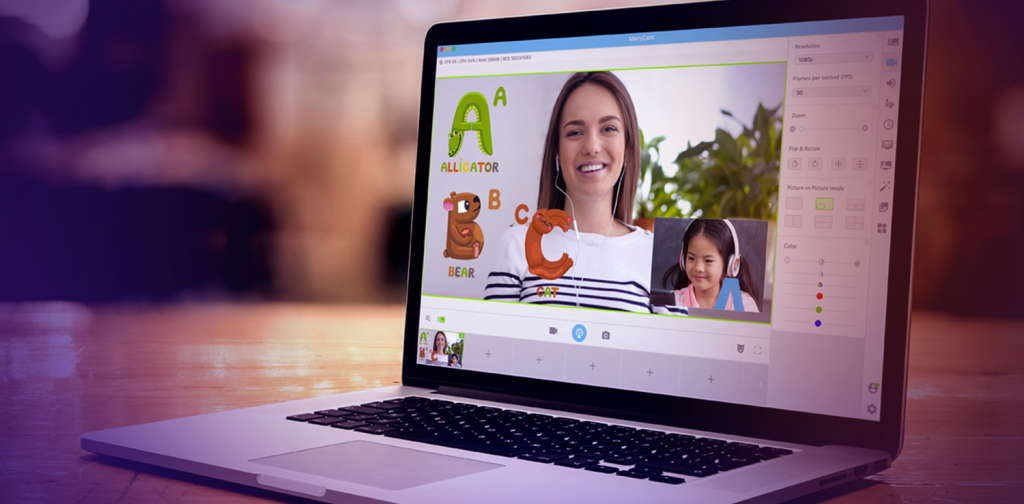
The Evergrowing Potential of Live streaming for Education - ManyCam Blog  ManyCam Blog

The Camera

Most teachers use the camera that’s built-in to the computer that the district supplies for them. It’s never a good camera, unless you have a Mac. The pictures are often blurred, and the color hues are totally off. Nobody wants to spend hours looking at a bad stream, and students are not going to stay engaged if the images are sickly.

I recommend investing in a camera that will provide a decent image for your students to want to engage with you. If you have a Mac computer, just use the camera it comes with. If you don’t have a Mac, or need more than one camera, then have a look at the HD cams from Logitech. They are plug and play solutions and the image they capture is very good. They work straight out of the box on any computer, and they are a less expensive solution.

The Microphone

Audio is probably the trickiest part of creating a streaming solution because there are so many different types of microphones. Basically, a shotgun mic homes in on a set target of space in the room. If you teach from a chair and have a set space where you can put your mouth near the microphone, then this type of mic will work. Bands use this type of mic because it doesn’t pick up the background noise. 

The other type of microphone you should consider is a studio mic. This type of microphone captures everything and it does it amazingly well. A studio mic will pick up your voice no matter where you are in the room. The downside is that it will pick up all background noises too. 

So, which do you choose? It comes down to personal preference. If you’re going to move around the room a lot, then a studio mic might be your answer. If you want to make sure you’re not picking up the sounds of the construction work outside, then a shotgun mic might be a good choice. I chose a studio microphone because I didn’t want the mic in the middle of my camera shot. I chose a Snowball studio microphone because it’s fairly priced and works amazingly well. 

The Memory Storage

External hard drives are fairly inexpensive these days, as are SD cards. Either will work for your storage needs because if you’re using the district issued computer, it’s sure not to have the storage resources needed for video editing after the live stream session has finished. Most teachers record their streams and edit them into lessons for future use.

The Network

It is recommended that if you are going to live stream, that you use an ethernet hardwired connection to your modem. The goal is to not drop connection during the live steam. If you have an amazingly strong internet connection and strong router hooked up to your modem, you can probably get away with a wireless connection. This means that the computer you’re using to stream with is 20 feet or less from the router sending the internet signal. The least expensive solution – more solid solutions can involve running an ethernet cable from the modem to the computer.

The Lights

The least expensive solution is to use the natural light coming in through a window. Another option is to use the lamps you have in the room and position them so they provide enough soft light. Do not expose the light bulb to your face, that’s too harsh. And for that same reason, I am not a fan of ring lights. The light is often off in hue and if you wear glasses, it casts a light ring on the lenses. It’s not a good look.

I would recommend an overhead light if you have it. It’s important to light yourself in a natural way that’s appealing to your viewer. If you want them to spend hours with you, then make the effort to present yourself in the best light. There are inexpensive light kits available if you want to go that route, but a natural look that’s well illuminated is what you’re going for.

The Encoder

I saved the least understood tool for last because this is where the magic happens, and it’s where you have to decide what level of investment you’re able to make.

What is an encoder?

The format that a video camera records content in has to be transcoded so that it can be livestreamed to a destination like Facebook Live, YouTube, Twitch and Periscope. This is accomplished using an encoder software. An encoder optimizes the video feed for the streaming platform. The key to using an encoder is to learn to set-up scenes.

OBS Studio is free and an open-source encoder software for video recording and livestreaming. It is currently available for Linux, Mac and Windows. I will warn you that it requires patience to learn to use, but there are loads of helpful videos out there to show you the ropes. 

Ecamm turns your Mac into a live production studio for broadcasting to Facebook Live, YouTube, Twitch and Periscope. It’s probably the easiest encoder to use and is a paid service. You can livestream presentations, tutorials, etc with one click. It does everything OBS does, but it’s a lot more user-friendly.

vMix for PC users is an encoding software that does the same as Ecamm for Mac users. It is a paid service.

StreamYard is a web-based service that runs part of the encoder for you. You can live stream through the browser with no downloads. It is a more limited encoder and is currently in development, so more features will be coming. It is a paid service, but they offer a free version as well. Streamyard has become more popular because of its ease of use.

My advice to a new user is: grab a copy of OBS and learn to use it so you’ll know what your needs are. Heads up though, you need a powerful computer to run it. Start your streaming adventure on OBS or the free version of StreamYard. It takes time and practice to learn to use an encoder. Eventually, you will figure out which solution you need for your live stream.

 Looking for more resources to support your teaching and learning? Check out the best education technology resources on our sister platform EdTech Impact.

http://www.innovatemyschool.com/ideas/how-to-become-a-livestreaming-teacher http://www.innovatemyschool.com/ideas/how-to-become-a-livestreaming-teacher